With Open Simulator you can execute script files to calculate parameters or data that you need, but which are not delivered by the Petromod Simulator.
Before you begin, consider the following:
Important: Use Python 3 to write your own scripts for the Open Simulator. To utilize Open Simulator, Python is required to be installed on:
- Windows and Unix RHEL 8.6 or newer: Python 3.12.x 64-bit version.
- Some Open Simulator scripts require additional python libraries like numpy, h5py or matplotlib.
For more information, see the Petromod Installation Guide.
Note: Scripts require the “opensim” license feature to run.
The arguments depend on the respective script. The default scripts of Petromod contain a description of the arguments with the scripts. For user-defined scripts, you need to get that information from the creator of that script.
Scripts not starting with demo_, for example: nested_model_overlay_extraction.py are for internal use by Petromod and should not be modified.
Overlays generated with the Open Simulator can be transferred to Petrel when using the Petromod-Petrel connection. All custom overlays are imported with a general continuous (unitless) template. You must assign the correct template in Petrel to reflect the units used in Petromod.
To store a user-defined script within a Petromod project we recommend the data/scripts folder.
In Delfi Domain Profiles, files created by your scripts should be written to the model's out directory, so that they will be downloaded together with the simulation results.
The connection between Petromod and Python is achieved through the pmpy.py file, which is provided with the Petromod installation and located in the scripts folder. The pmpy.py file is the Petromod Python module that provides a high-level interface to Petromod model and simulation data. It is built on top of pmio, the low-level Petromod I/O (Input/Output) module. The pmpy.py file cannot be used independently of the applicable Petromod applications.
Below is a section of the pmpy.py file that demonstrates as an example, how Petromod handles different output classes.
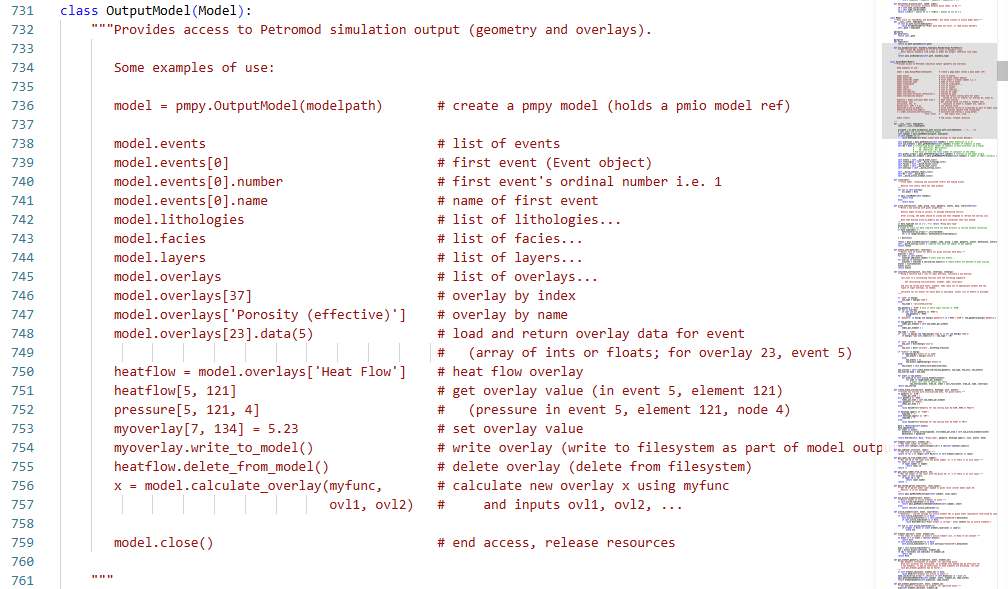
Refer to this file to find out which other functions and modules are used in Python to access, create, and modify model data.
Important: Do not modify this file, otherwise the Python functionality for Petromod may not work correctly.
When creating your script from scratch, pay attention to the following points. However, we recommend copying an existing demo script and then modifying it according to your needs.
The pmpy module must be imported explicitly in the script itself, for example, with the statement:
import pmpyIf any of the variables
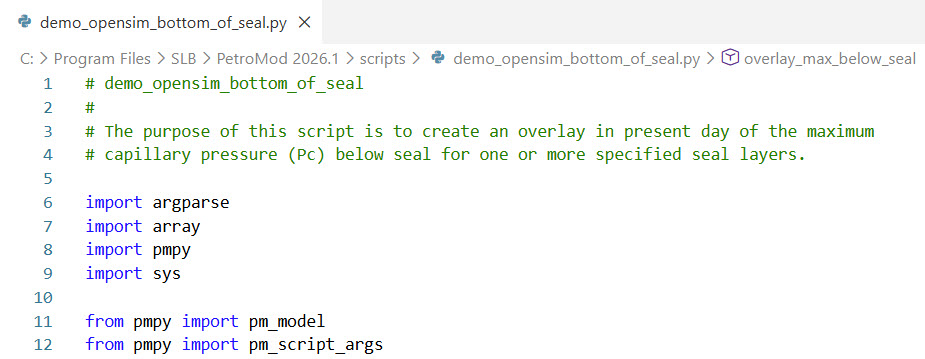
pm_model,pm_project, orpm_script_argsare used, they must either be referenced in the scripts with the module prefix "pmpy" (for example:pmpy.pm_model) or imported using:from pmpy import pm_modelfrom pmpy import pm_projectfrom pmpy import pm_script_args
When using Open Simulator scripts using the Simulator GUI, no further modifications are required. The below example shows a demo open simulator script referencing the import of various modules.
- Unit handling
In order to better align with Petromod unit handling, units in the Open Simulator (for example,pmpy.Overlay.unit) are nowpmpy.Unitobjects, rather than simple strings. When specifying units (for a new overlay, for example) it is still possible to use a string, but it is recommended thatpmpy.Unitobjects are used instead. - Execute scripts within the Simulator interface
You can run Python 3 scripts within the Simulator interface. - Execute scripts outside the Simulator interface
The modules implementing Open Simulator functionality (pmpy and pmio) are provided as true standalone Python modules which allows for easy integration of Open Simulator functionality into new workflows.