The API Try-it feature on the SLB Developer Portal allows developers to execute live API requests directly from the documentation UI. This functionality enables quick validation of API behavior, request structure, authentication, and responses without using external tools. With Try it, you can:
- Execute real API requests from the API reference pages
- Validate request parameters and payloads
- Inspect live API responses, headers, and status codes
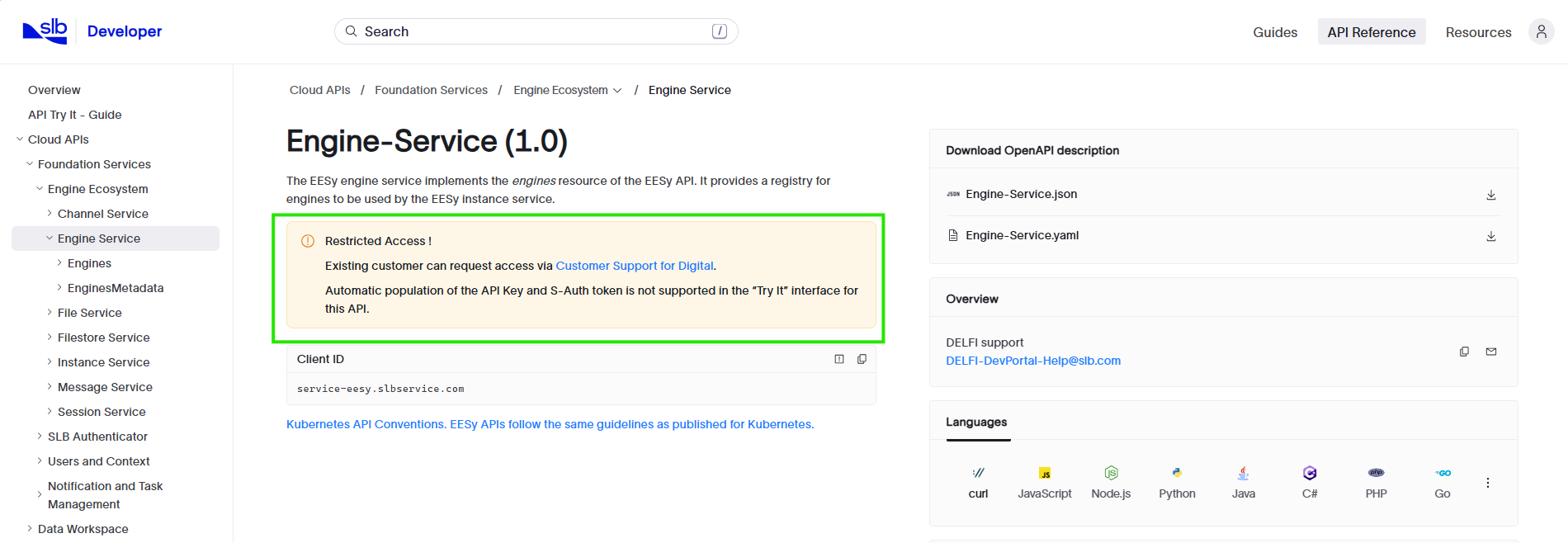
Note Automatic token population is supported for all public APIs. APIs marked with below text on API reference page, require manual token generation. Refer instructions here
Before you use Try it, ensure that:
- You have logged in to the SLB Developer site.
- You are onboarded to a valid billing account on SLB Digital platform & you can access SLB Developer Portal.
- You are a Member of a team in SLB Developer Portal.
- If the SLB cloud API you want to try requires an Appkey/ API key to be included in the request header, make sure you have an App created on SLB Developer Portal under current billing account.
- Open the API reference page.
- Expand the API operation you want to test.
- Select Try it.
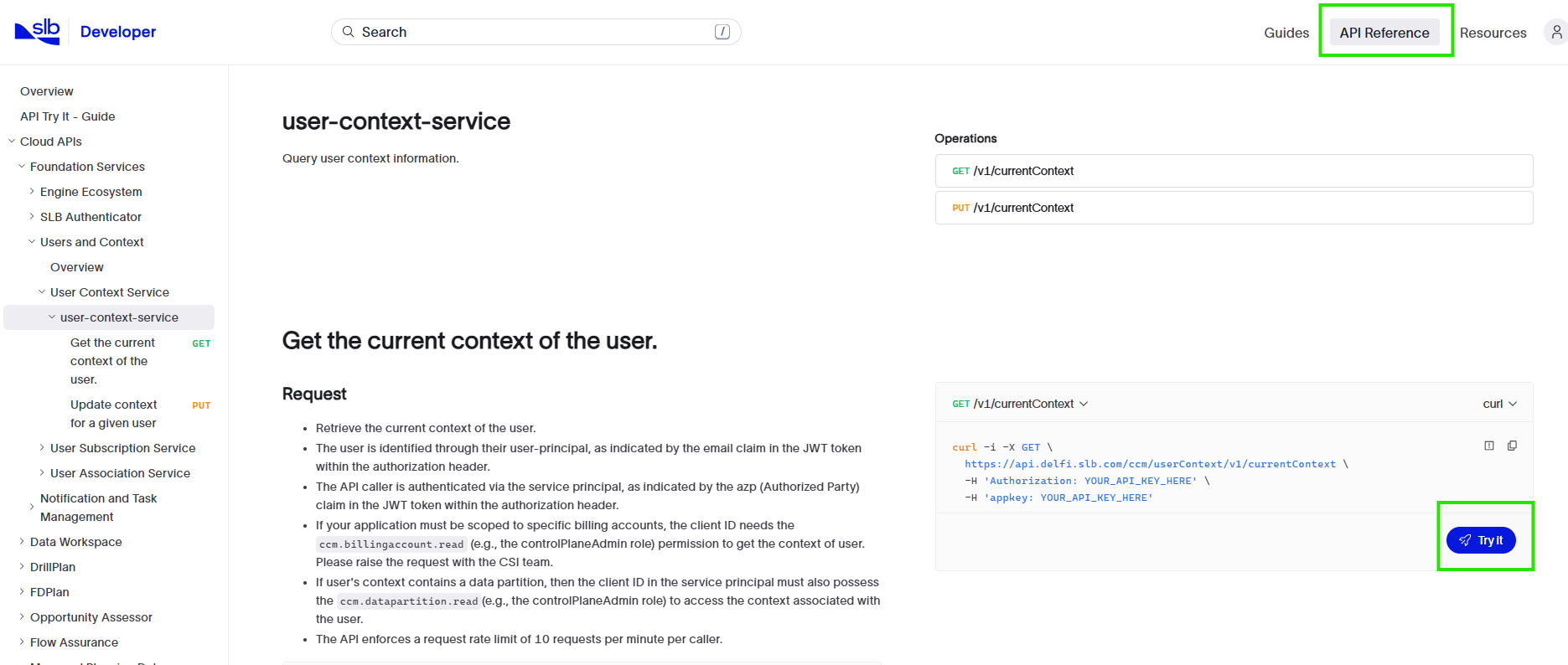
- For APIs secured with a Bearer token, the token is filled in on the Security tab after you select Try it. Enter values in the request body, path parameters, headers, and any other required fields.
- Select Send to run the request and review the response.
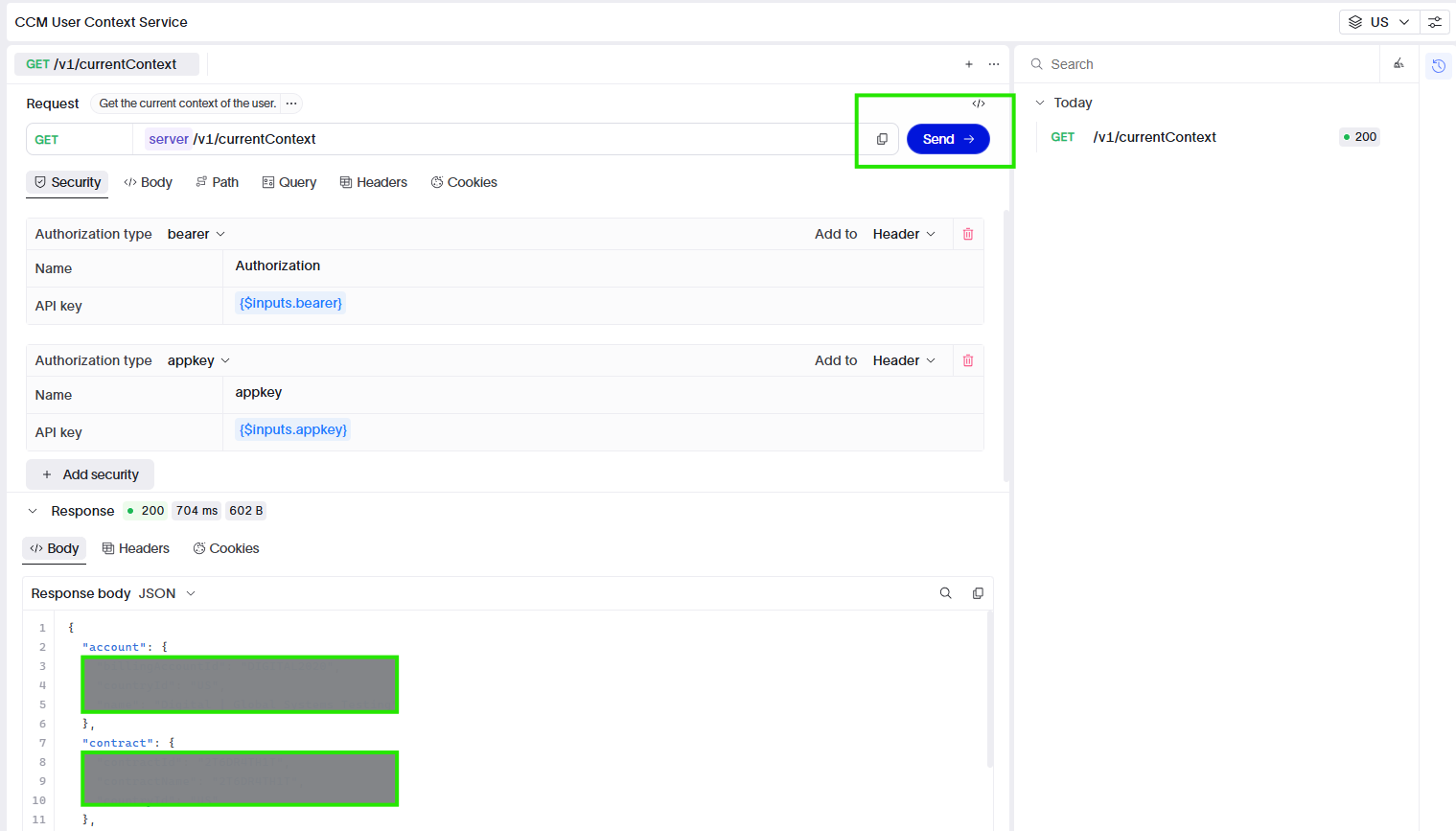
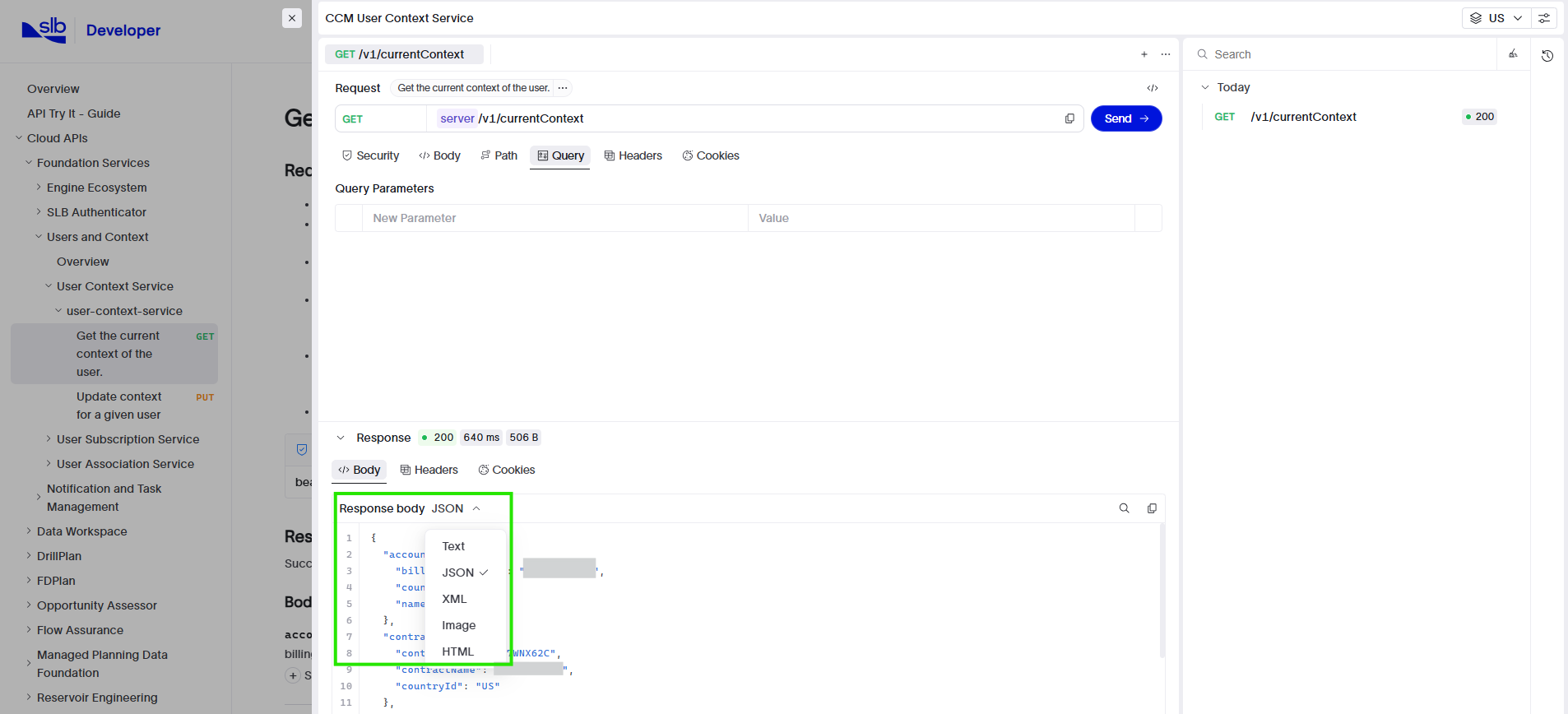
After the request completes, the response panel appears at the bottom of the screen. Use it for debugging, validation, and understanding API behavior.
- HTTP status code
- Response headers
- Response body. Choose a formatting option to adjust how the body is displayed.
- Some APIs do not populate Bearer tokens automatically in Try it when extra access controls apply. In such cases the API reference page shows an admonition as shown below. Meet the required access conditions first, then obtain an access token manually using the steps decribed here.
- Cross-Origin Resource Sharing (CORS) restrictions may apply.
- Large request or response payloads may be truncated.
- Long-running requests may time out.
- Sensitive fields may be masked for security reasons.