Below steps need to be followed to create user exchanged token.
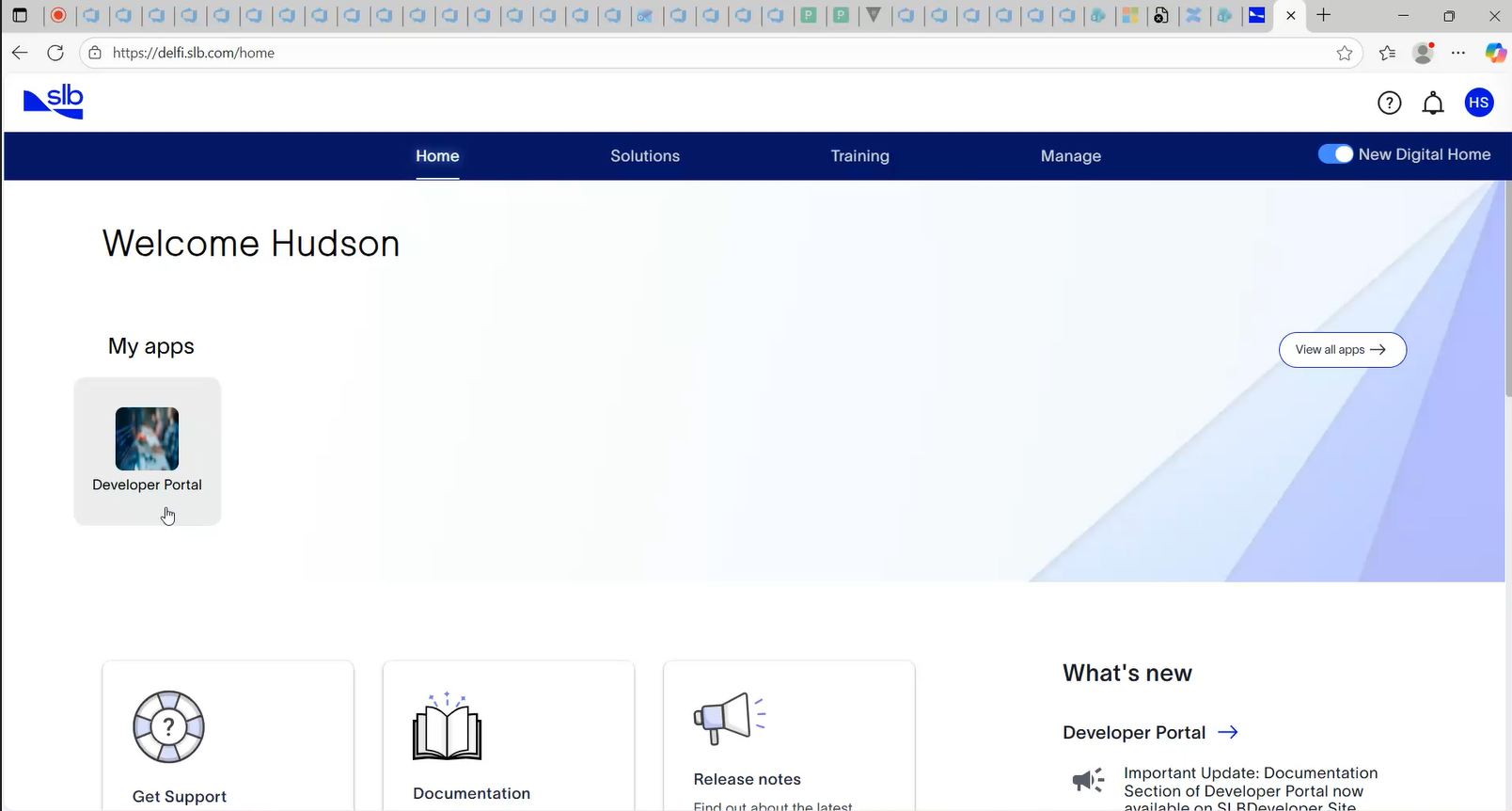
Launch Developer Portal.
- Client Type: Web Server Application
- Client Type: Web Server Application
Go to My Apps.
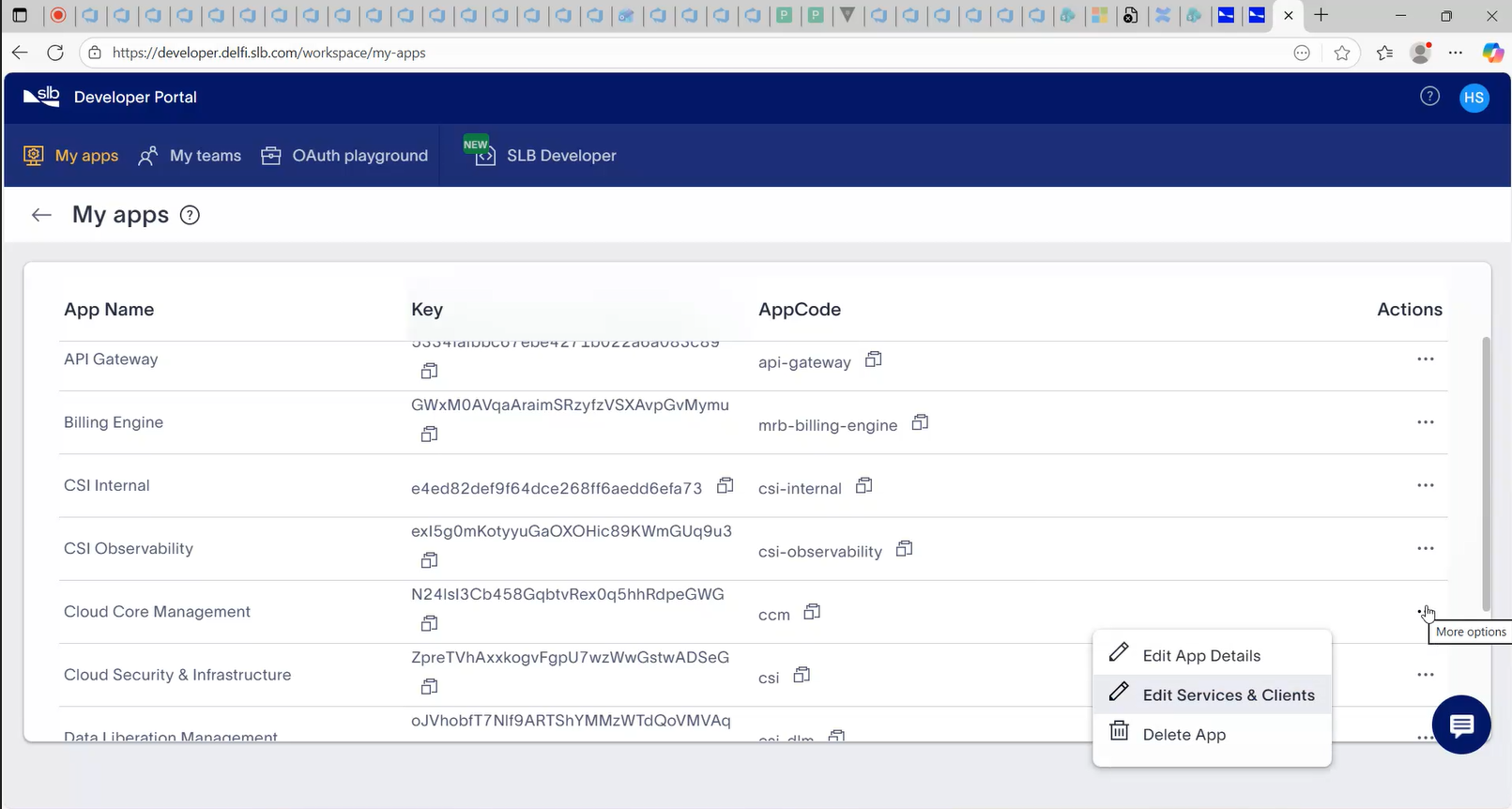
From the list of my applications, select the application for which you want to create user exchange token.
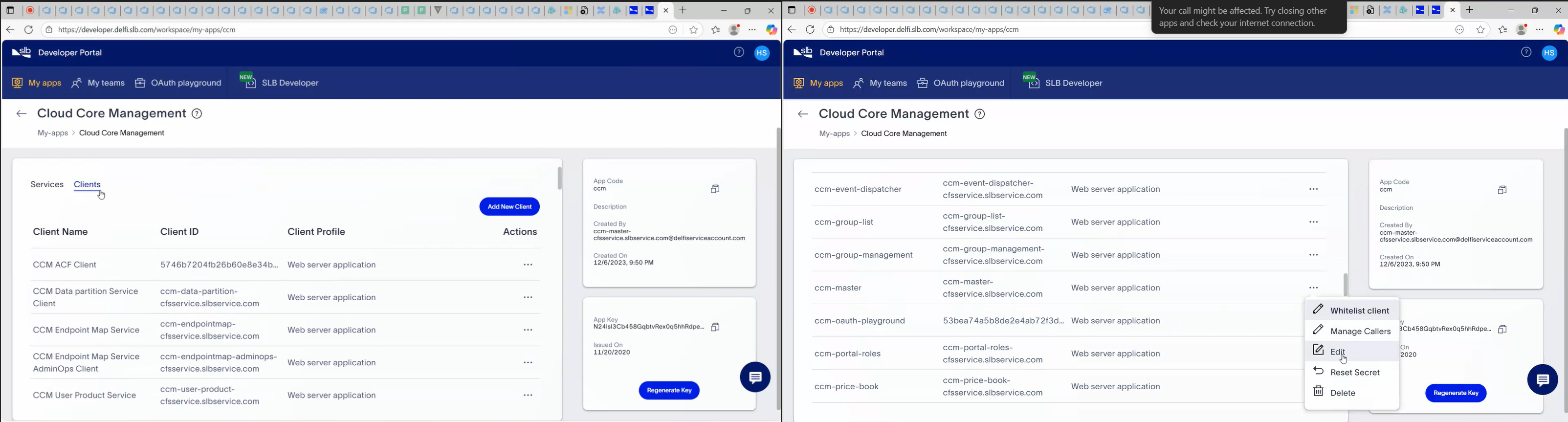
Click on Clients and edit the client Id for which you want to create token for.
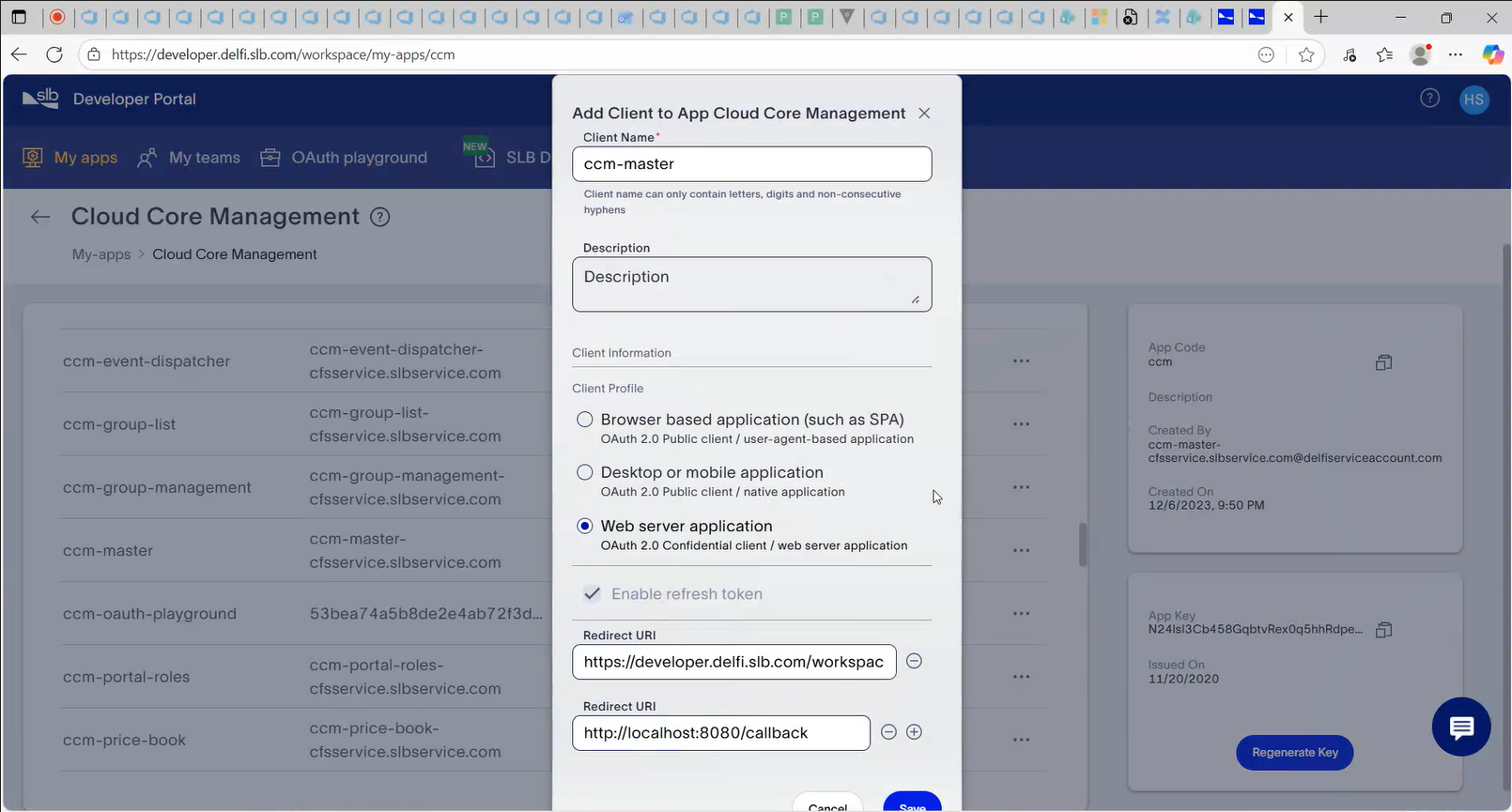
In the redirect URI, enter below(https://developer.delfi.slb.com/workspace/oauth-playground) and apply your changes.
Visit the OAuth playground(https://developer.delfi.slb.com/workspace/oauth-playground), need to have developer portal subscription for it.
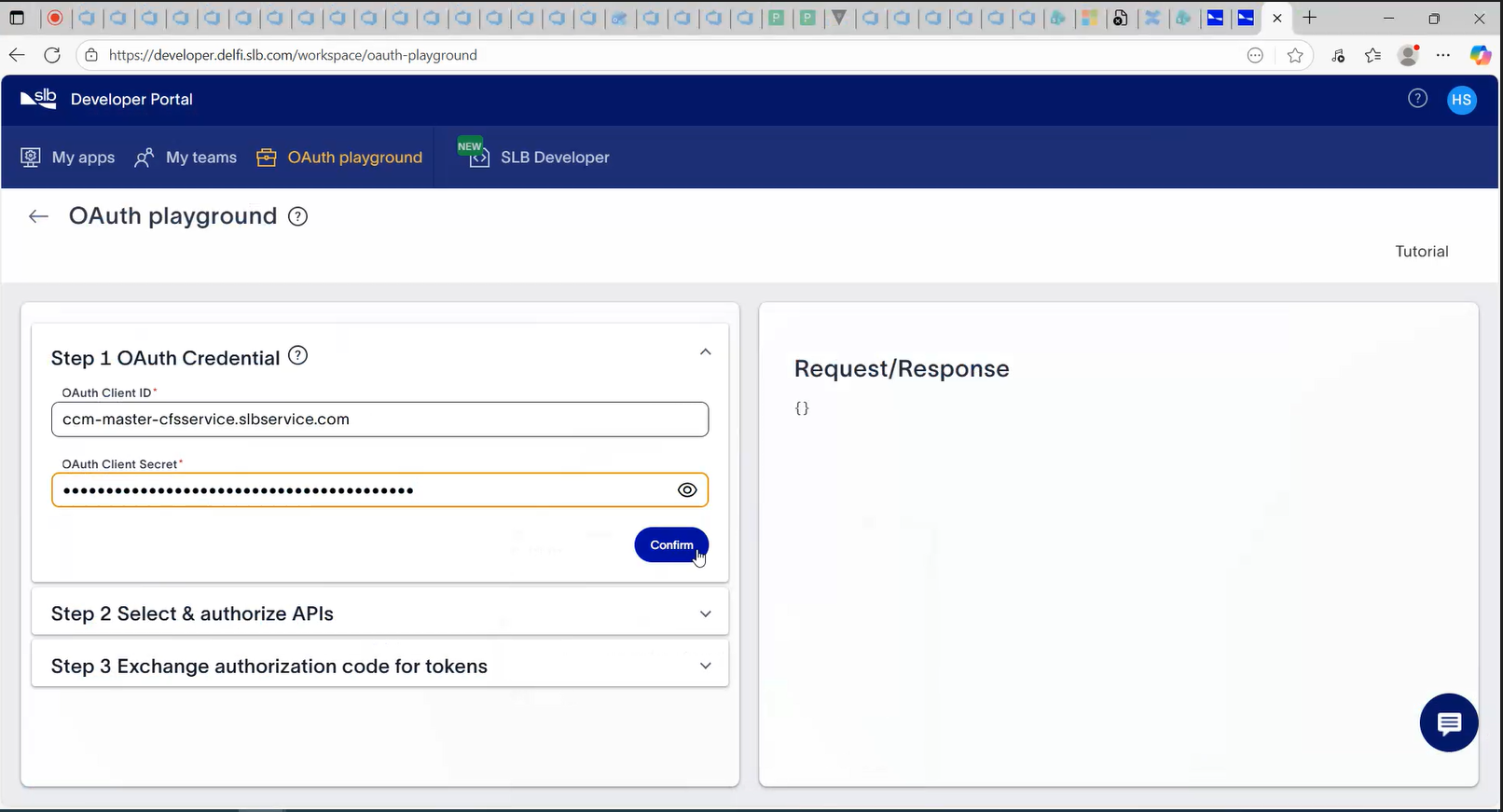
Go to Tools section.
Enter the client ID and secret(created at the time of clientId creation) for which you have updated the redirect URI.
Click on confirm.
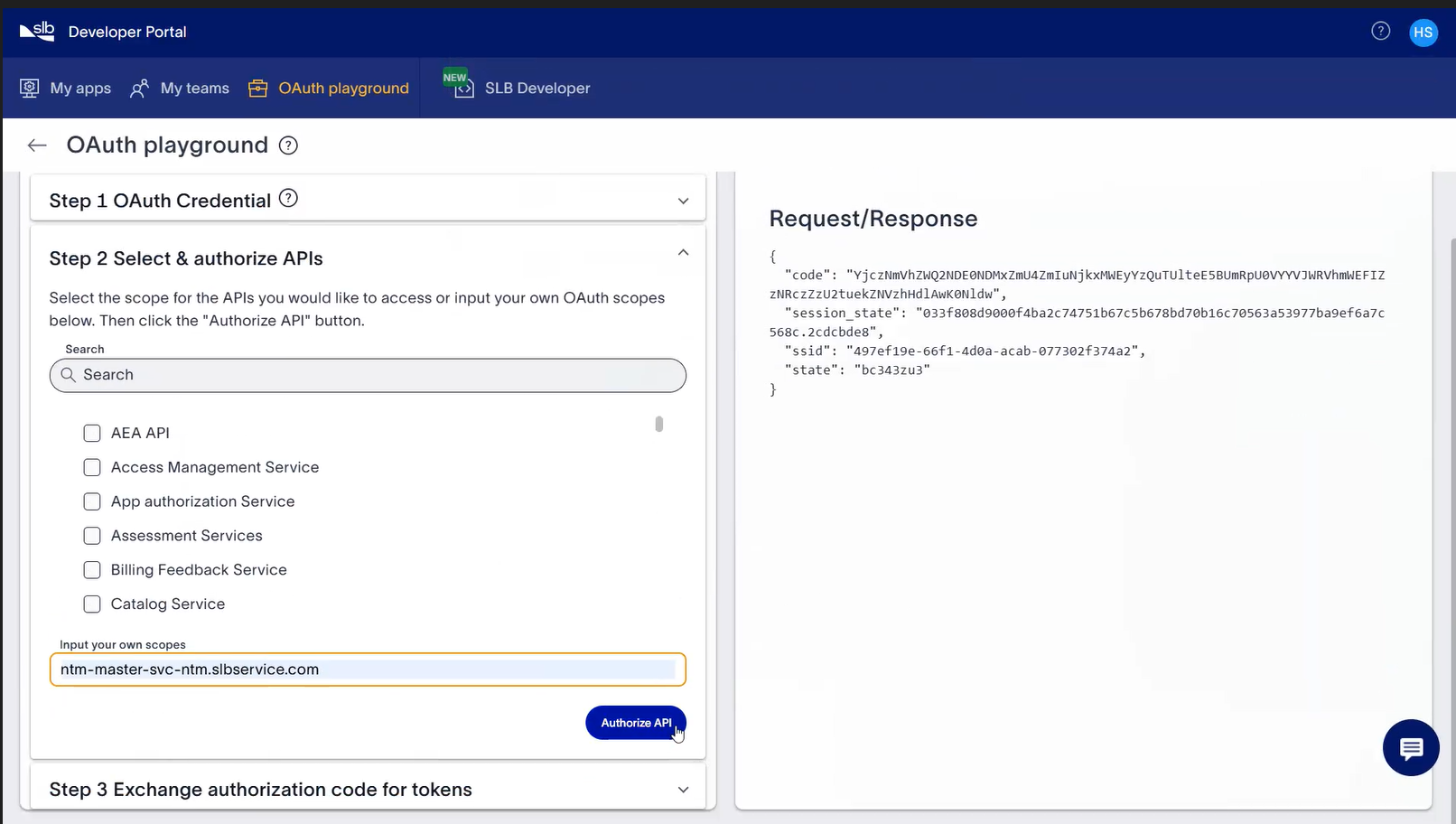
After clicking on confirm enter the below when it asks for “Input your own scopes”
- ntm-master-svc-ntm.slbservice.com
Click on Authorize API.
Click on Exchange Token button.
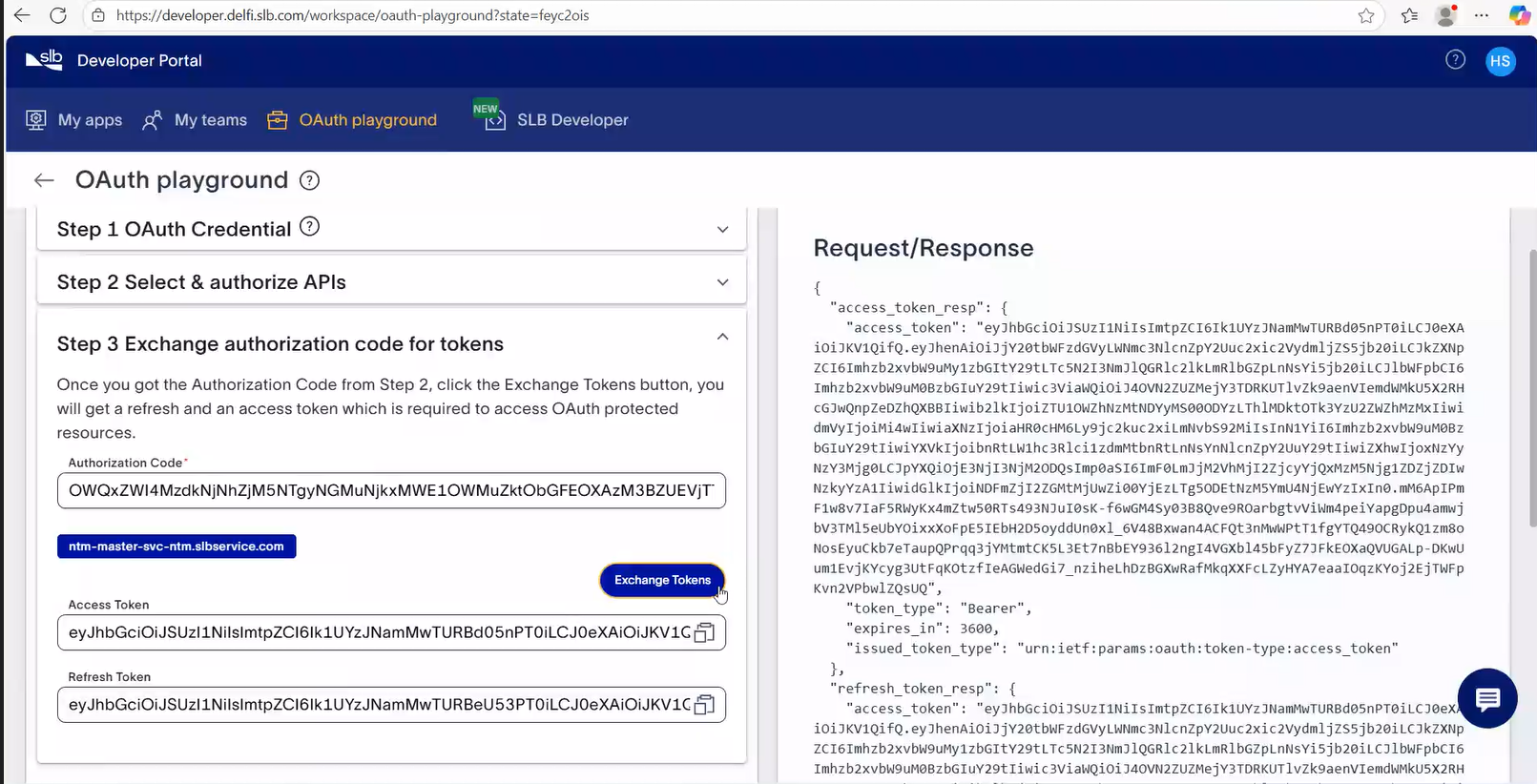
The “Access Token” displayed is the user exchanged token.